Welcome to Hibiscus
Hibiscus is a highly opinionated, lightning-fast, and elegant local-first study workspace. Built with React, Tauri, and Rust, it seamlessly merges a powerful code editor with deep productivity tools.
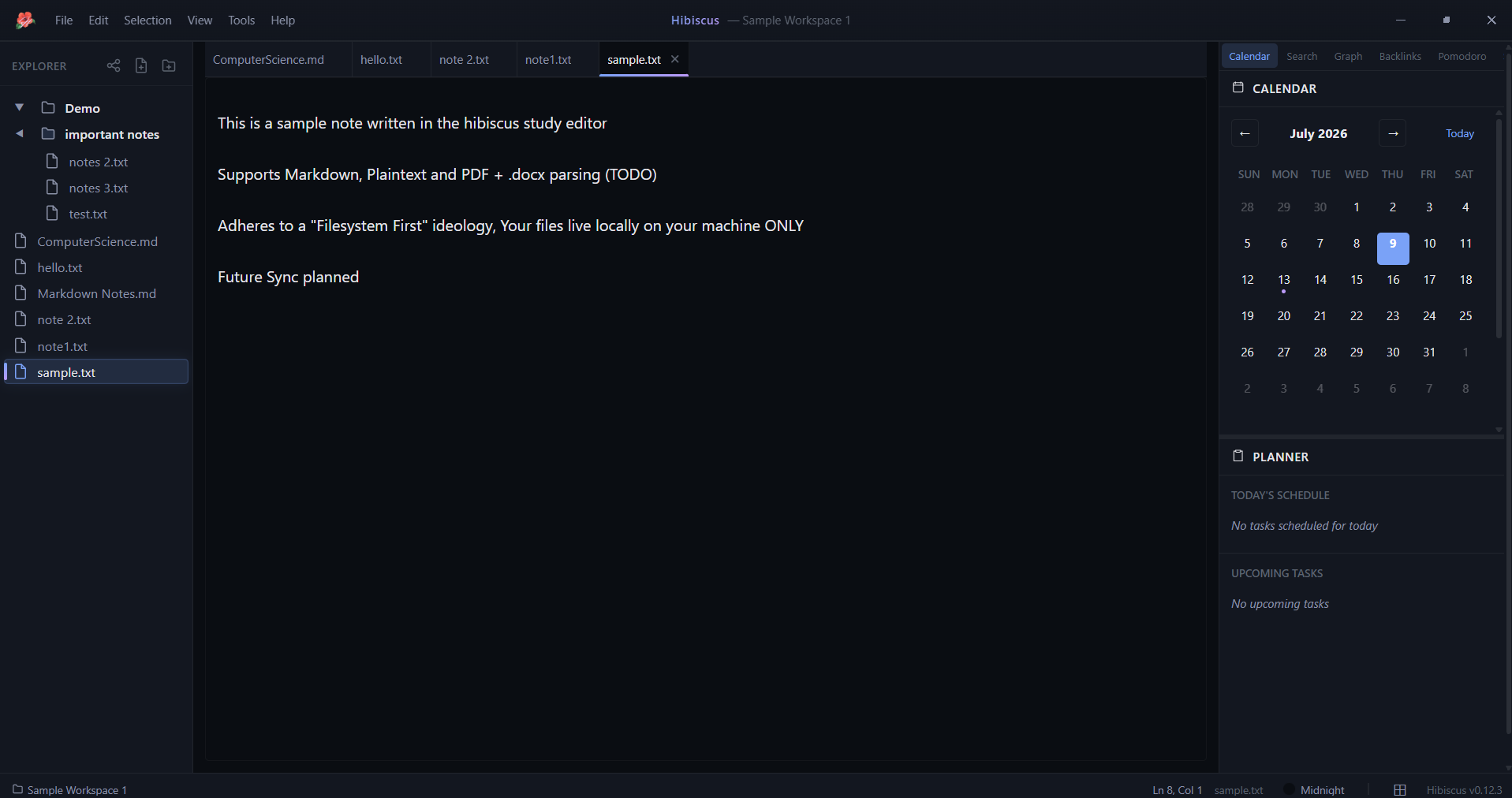
Overview
Hibiscus is designed for developers, researchers, and students who need a unified, distraction-free environment to synthesize information. Rather than relying on cloud services, Hibiscus embraces a strict local-first philosophy: your knowledge stays securely on your machine, processed at native speeds by an underlying Rust backend.
Key Features
- Blazing Fast Backend: Powered entirely by Rust and Tauri, offering native performance and minimal resource consumption.
- Deep Study Tools: Featuring an integrated Pomodoro timer, native flashcard decks, comprehensive study statistics, and a zero-distraction Focus Mode.
- Intelligent Knowledge Synthesis: A built-in document combiner that effortlessly fuses text and markdown documents recursively into cohesive, structured outputs.
- Local-First Indexing: A robust background indexing pipeline that makes your entire workspace instantly searchable without ever leaving your machine. Now supports Markdown, Text, PDF, and DOCX documents with advanced TF-IDF ranking.
- Hot-Swappable Theming: Enjoy meticulously crafted built-in themes (Midnight, Dawn, Forest) powered by a deeply configurable CSS variable API.
- Workspace Management: A fast, reliable file tree equipped with debounce-optimized file watchers for immediate UI synchronization.
Architecture Summary
At the core of Hibiscus lies a strict separation of concerns:
- Frontend: A React application utilizing the Monaco Editor for a world-class text editing experience, styled with a comprehensive dynamic CSS variable system.
- Backend (Rust): Handles all heavy lifting—from file system watching and structural tree generation to robust, incremental knowledge indexing.
- Knowledge Pipeline: A background worker pool continuously parses, chunks, and indexes your
.md,.txt,.pdf, and.docxfiles into.hibiscus/knowledge/. The data is fully derived and rebuildable, guaranteeing that your source files are never mutated. Includes an in-memory LRU caching layer and query engine for blazingly fast retrievals.
Why Hibiscus?
Hibiscus stands apart by rejecting the trend of bloated, cloud-dependent workspaces. It respects your privacy, your system resources, and your workflow. Whether you're writing code, drafting a research paper, or organizing study notes, Hibiscus provides the tools you need—instantly, locally, and beautifully.
Quick Start
Ready to dive in? Head over to the Getting Started Guide to set up your environment or download the latest release!
User Documentation
Core Features
- Getting Started - Installation, setup, and core concepts
- Workbench Layout - Understanding the IDE-style panel system
- File Explorer - Navigating and organizing your workspace
- Multi-File Editor - Working with tabs and multiple files
- Editor System - Monaco integration and markdown preview
Productivity Tools
- Calendar & Daily Planner - Scheduling, events, and task management
- Study Tools - Pomodoro, flashcards, notes synthesis, statistics
- Search System - Finding content across your workspace
- Knowledge Dashboard - Tracking index health and repair
- Metadata & Linking - Tags, aliases, and backlinks
- Knowledge Graph - Visualizing note connections
- Modal System - File creation dialogs
Customization
- Theming System - Built-in themes and CSS variables
- Theme Editor - Creating custom color schemes
- Status Bar - Layout controls and quick actions
- Keyboard Shortcuts - Complete shortcut reference
Workflow
- Application Flow - Understanding the Hibiscus workflow
Developer Documentation
Architecture
- System Architecture - Frontend/backend design
- React Hooks - Controller hooks and state management
- Icon System - Centralized icon management
Backend & APIs
- API Reference - Complete Tauri command reference
- Knowledge Pipeline - Indexing system architecture
- Knowledge Graph Architecture - Graph implementation
Contributing
- Contributing Guide - Development setup and guidelines
Documentation Overview
| Topic | Guide | Developer |
|---|---|---|
| Installation | Getting Started | Contributing |
| File Management | File Tree, Editor | API |
| Calendar | Calendar | API |
| Search | Search | Pipeline |
| Knowledge Graph | User Guide | Architecture |
| Theming | Theming, Editor | API |
| Study Tools | Study Tools | Hooks |
| Layout | Workbench, Status Bar | Hooks |