Application Flow & Setup Guide
Welcome to the Hibiscus application flow guide. This document provides a comprehensive overview of how to set up and use the Hibiscus editor with your existing study material. It covers both the end-user perspective and developer notes regarding the internal architecture.
Overview
Hibiscus is a local-first study workspace. It is designed to act as a central hub for all your study materials—whether they are markdown notes, plain text files, or heavier documents like PDFs and DOCXs. The entire system is built around a non-destructive, background-indexing architecture that makes your notes instantly searchable without modifying your original files.
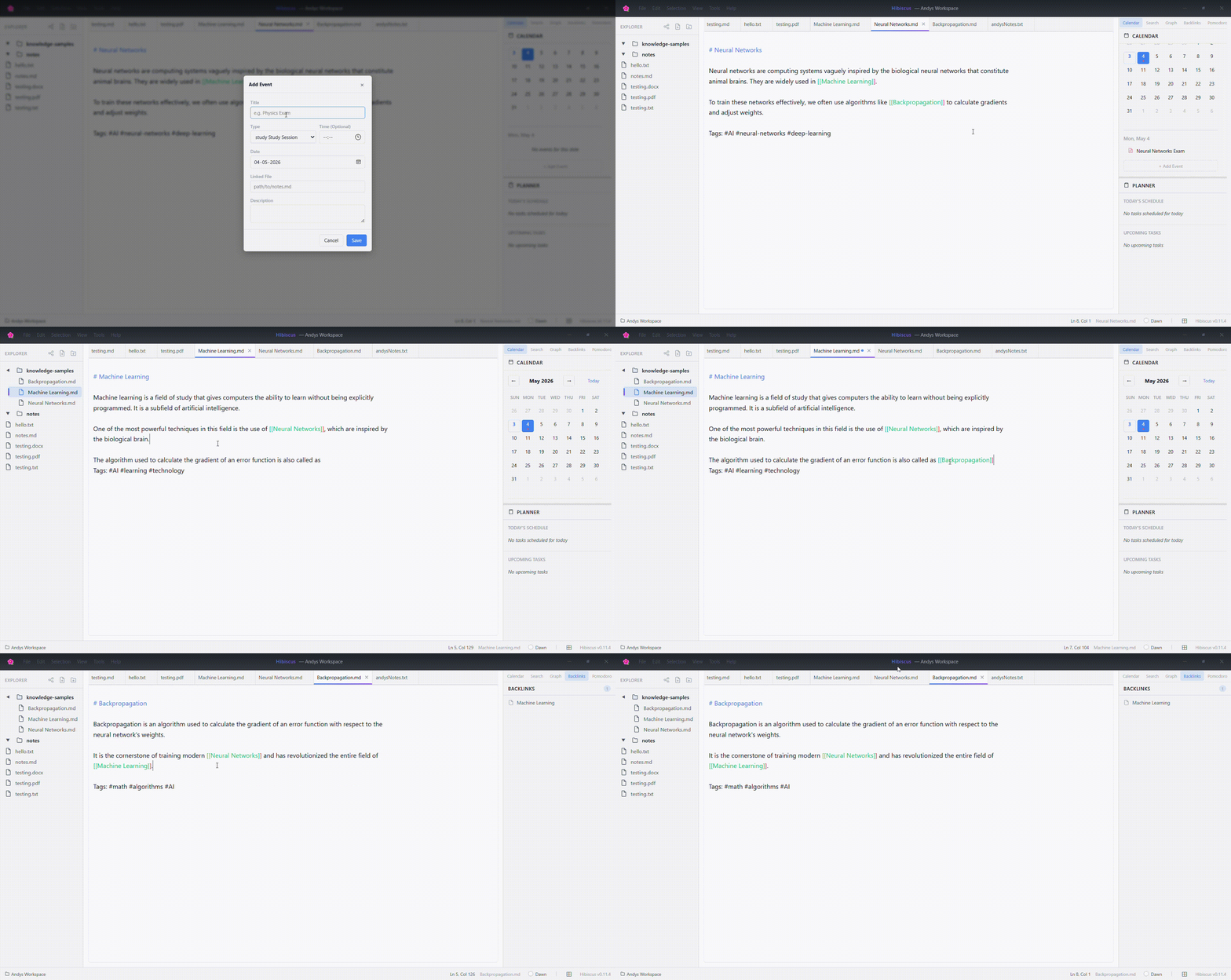
Setting Up Your Workspace
1. Opening a Folder
When you launch Hibiscus, you are presented with a clean interface asking you to open a workspace.
- User Note: Simply select the root folder that contains your study materials (e.g., your university notes directory, a project folder). Hibiscus will immediately begin scanning and organizing the folder structure into a navigable tree on the left sidebar.
- Dev Note: When a folder is opened, the Tauri backend invokes
build_treeand initiatesdiscover_workspace. If it’s the first time opening this folder, a hidden.hibiscusfolder will be created locally within that directory to store metadata and derived knowledge data.
2. The Indexing Process
Once your workspace is loaded, you don't need to manually import files.
-
User Note: As soon as you open a folder, Hibiscus silently begins indexing your
.md,.txt,.pdf, and.docxfiles in the background. You can start browsing or editing immediately. The search function will progressively become smarter as the indexing completes. If you drop a massive PDF (e.g., a 20MB textbook) into the folder, Hibiscus intelligently defers it to keep your editor fast. -
Dev Note: The indexing pipeline runs in an async Tokio worker pool. Large files (>10MB) are currently bypassed to maintain low memory usage (
LARGE_FILE_THRESHOLD). The indexer extracts topics, calculates TF-IDF scores, and stores chunked data inside.hibiscus/knowledge/.
Using the Editor
Exploring Your Files
- File Tree: Use the left sidebar to navigate your folder structure. You can drag and drop files to reorganize them.
- Multi-File Editor: Open multiple files simultaneously using the tabbed interface. See the Multi-File Editor Guide for comprehensive tab management and session persistence features.
- Theming: You can dynamically switch themes (e.g., Midnight, Dawn, Forest) to suit your environment.
Advanced Search & Retrieval
- User Note: Use the global search bar to query your notes. Because Hibiscus understands your documents, you don't just get file names—you get specific paragraphs (chunks) that match your query, ranked by relevance. It even forgives minor typos (fuzzy matching) and understands partial words (prefix matching). See the Search System Guide for detailed navigation and usage instructions.
- Dev Note: Searching triggers the
search_chunksTauri command. It utilizes the precomputedScoredKeywordIndexto retrieve results via TF-IDF scoring in milliseconds. Results are heavily cached in an LRU cache (KnowledgeState.cache) to ensure immediate responsiveness while typing.
Topic Navigation
- User Note: Hibiscus automatically groups your notes into "Topics" based on the headings within your documents. You can browse these topics to find related study materials that might span across multiple files.
- Dev Note: Topic extraction is heuristic and deterministic. The
get_topicscommand readstopics.json, which maps normalized headings to chunk IDs, providing a structural overlay without requiring any manual tagging from the user.
Continuous Workflow
The strength of Hibiscus is its invisible synchronization.
- User Note: Just keep writing and saving your files. Whether you are using the built-in editor or editing a file externally, Hibiscus watches for changes and updates its internal index instantly. You never have to click "Sync" or "Re-index".
- Dev Note: The backend utilizes a debounce-optimized
notifyfile watcher. When a file is modified, its SHA-256 hash is checked. If changed, the file is re-parsed, the TF-IDF scores are recalculated, and the LRU query cache is invalidated to ensure the frontend always receives fresh, accurate data.
By embracing this local-first, background-indexed flow, Hibiscus ensures that your study workflow remains entirely uninterrupted, private, and blazingly fast.